

SLV स्थापित करें - Prometheus
SLV स्थापित करें - Prometheus
क्यों Prometheus?
Prometheus समय-सीरीज़ निगरानी के लिए वास्तविक मानक है, जो एक शक्तिशाली क्वेरी भाषा (PromQL) और निर्यातकों के समृद्ध पारिस्थितिकी तंत्र के साथ मैट्रिक्स का संग्रह करता है। इसे समय-सीरीज़ निगरानी के लिए स्थापित करना, एक शक्तिशाली क्वेरी भाषा (PromQL) और निर्यातकों का एक समृद्ध पारिस्थितिकी तंत्र के साथ मैट्रिक्स एकत्र करना।
slv install आपको एक सुसंगत मीट्रिक रीढ़ देता है जो फ़ीड करता है Grafana हर वातावरण में डैशबोर्ड और अलर्टिंग नियम।** हाइलाइट्स**
- Prometheus: https://prometheus.io/
- पुल आधारित स्क्रैपिंग, जबकि प्रोमक्यूएल कार्रवाई योग्य अंतर्दृष्टि को संरक्षित रखता है।
- मूल एकीकरण के साथ Grafana इसलिए आप अतिरिक्त सेटअप के बिना दृश्य और सूचित कर सकते हैं।
इंस्टॉलर चलाएं
वह मेजबान को लक्ष्य करना चाहिए जिसे चलाना चाहिए Prometheus और इसे घटक चयनकर्ता से चुनें।
bash
$ slv install -i 1.1.1.1,
🚀 Installing software components...
? Select Software Component to Install (Redis)
  Redis
  TiDB (MySQL Cluster)
  Grafana
❯ Prometheus
  Node Exporter
  Kafka Cluster
$ slv install -i 1.1.1.1,
🚀 Installing software components...
? Select Software Component to Install (Redis)
Redis
TiDB (MySQL Cluster)
Grafana
❯ Prometheus
Node Exporter
Kafka Clusterध्यान दें: बदलें1.1.1.1साथ IP अपने सर्वर का पता
विवरण की समीक्षा करें
प्लेबुक से पहले सूची, प्लेबुक पथ और वैकल्पिक सीमा की पुष्टि करें।
bash
🚀 Installing software components...
? Select Software Component to Install (Redis) › Prometheus
✅ You selected: Prometheus

📋 Installation Details:
Software: Prometheus
Inventory: 1.1.1.1,
Playbook: /Users/fumi/.slv/template/0.9.800/ansible/cmn/software/install-prometheus.yml
? Do you want to proceed with the installation? (y/N) ›
🚀 Installing software components...
? Select Software Component to Install (Redis) › Prometheus
✅ You selected: Prometheus
📋 Installation Details:
Software: Prometheus
Inventory: 1.1.1.1,
Playbook: /Users/fumi/.slv/template/0.9.800/ansible/cmn/software/install-prometheus.yml
? Do you want to proceed with the installation? (y/N) ›Ansible Execution
slv उत्तोलन करने की अनुमति Prometheus एक व्यवस्थित सेवा के रूप में और बेसलाइन विन्यास में छोड़ दें।bash
🚀 Running ansible: ansible-playbook -i 1.1.1.1, -u solv /Users/fumi/.slv/template/0.9.800/ansible/cmn/software/install-prometheus.yml

PLAY [Install and configure Prometheus] **************************************************************

TASK [Gathering Facts] *******************************************************************************
🚀 Running ansible: ansible-playbook -i 1.1.1.1, -u solv /Users/fumi/.slv/template/0.9.800/ansible/cmn/software/install-prometheus.yml
PLAY [Install and configure Prometheus] **************************************************************
TASK [Gathering Facts] *******************************************************************************अंतिम बिंदु को सत्यापित करें
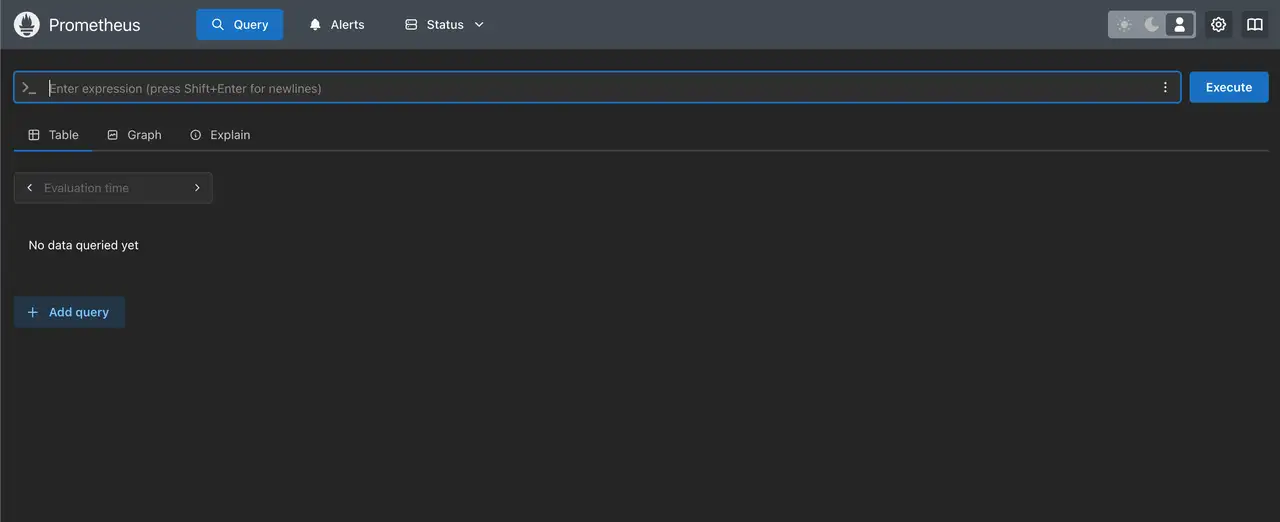
एक बार समाप्त हो जाने पर, CLI प्रिंट करता है Prometheus वेब यूआई URL इसलिए आप सही ढंग से खुरच रहे लक्ष्य की पुष्टि कर सकते हैं।
bash
✅ Installation completed successfully!

🌐 Access Information:

Prometheus URL: http://1.1.1.1:3090
✅ Installation completed successfully!
🌐 Access Information:
Prometheus URL: http://1.1.1.1:3090डैशबोर्ड
खुला
http://1.1.1.1:3090 सत्यापित करने के लिए Prometheus इसे लक्ष्य पृष्ठ के साथ जोड़ा Grafana PromQL का उपयोग करके ग्राफ़ मीट्रिकों को और अलर्टमैनेजर के माध्यम से चेतावनी नियमों को स्थापित किया।