

Getting Started
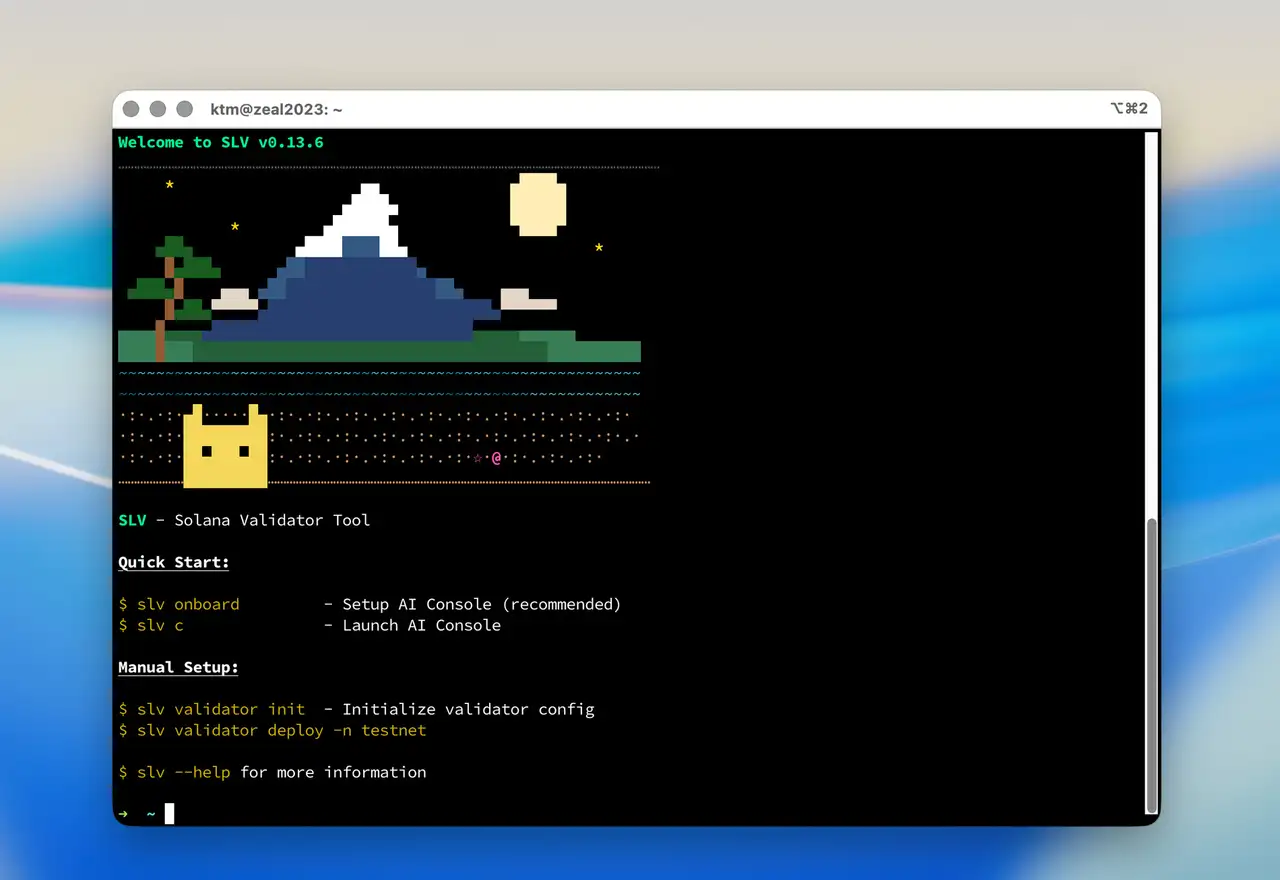
🔨 The AI Agent Kit for Solana Devs
SLV is the AI Agent Kit for Solana developers. Every method in SLV is MCP-enabled, so once onboarding is complete, you can start using AI agents for Solana development right away.
No more digging through docs or memorizing CLI flags. SLV's built-in AI agents can use the MCP-enabled SLV toolset directly, so validators, RPCs, and app workflows can move forward through natural conversation.
Requirements
OS: MacOS, Linux, or Windows (WSL2)
Dependencies:
Installation
bash
curl -fsSL https://storage.slv.dev/slv/install | shcurl -fsSL https://storage.slv.dev/slv/install | shThis installs the SLV binary and built-in AI skills to
~/.slv/skills/.🚀 Quick Start
Two commands to go from zero to managing Solana infrastructure:
You can also follow the natural-language Solana validator onboarding flow in this video.
1. Set up your environment
bash
slv onboardslv onboardThe interactive wizard configures everything you need. Once it is complete, AI agents can immediately use the full SLV method set for Solana development:
| Step | What it does |
|---|---|
| SLV API Key | Get your API key |
| AI Provider | Connect your OpenAI or Anthropic API key |
| Model | Pick your default model (e.g. claude-opus-4-6, gpt-4o) |
| Agent | Name your AI assistant — it remembers your preferences |
| Skills | Choose your focus areas (see below) |
| GitHub | Optional gh CLI auth for repo & PR management |
| Notifications | Optional Discord Webhook for real-time alerts |
AI Skills & Specialist Agents
SLV comes with purpose-built AI agents, each an expert in their domain:
| Skill | Agent | What it can do |
|---|---|---|
| Solana Validator | Cecil | Deploy, monitor, migrate, and update mainnet/testnet validators |
| Index RPC Node | Tina | Set up and manage full-index RPC endpoints |
| gRPC Geyser Streaming | Cloud | Configure real-time Geyser streams with filters |
| Solana App Development | Setzer | Scaffold automation, dApps, and Solana programs |
Select one or all — your AI Console adapts to your workflow.
2. Launch the AI Console
bash
slv cslv cThat's it. From here, Solana infrastructure can be managed in natural language. The AI Console automatically routes each request to the right specialist agent, so validator ops, RPC and Geyser setup, and app development can move forward in one flow.
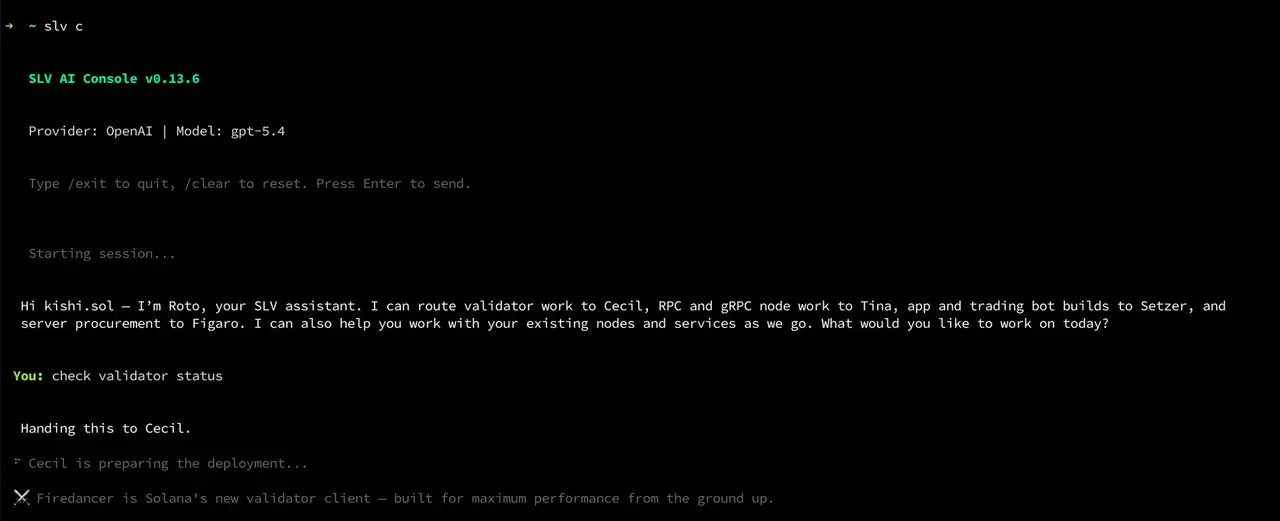
For example:
- "Deploy a testnet validator on my server at 203.0.113.10"
- "Set up an RPC node with Geyser gRPC enabled"
- "Create a new Solana app project"
- "Migrate my validator to a new machine with zero downtime"
In addition,
slv c collects update candidates on startup. It can surface new versions of agave, jito-solana, firedancer, yellowstone-grpc, and more. When you're ready, type /update and let the update work complete from there.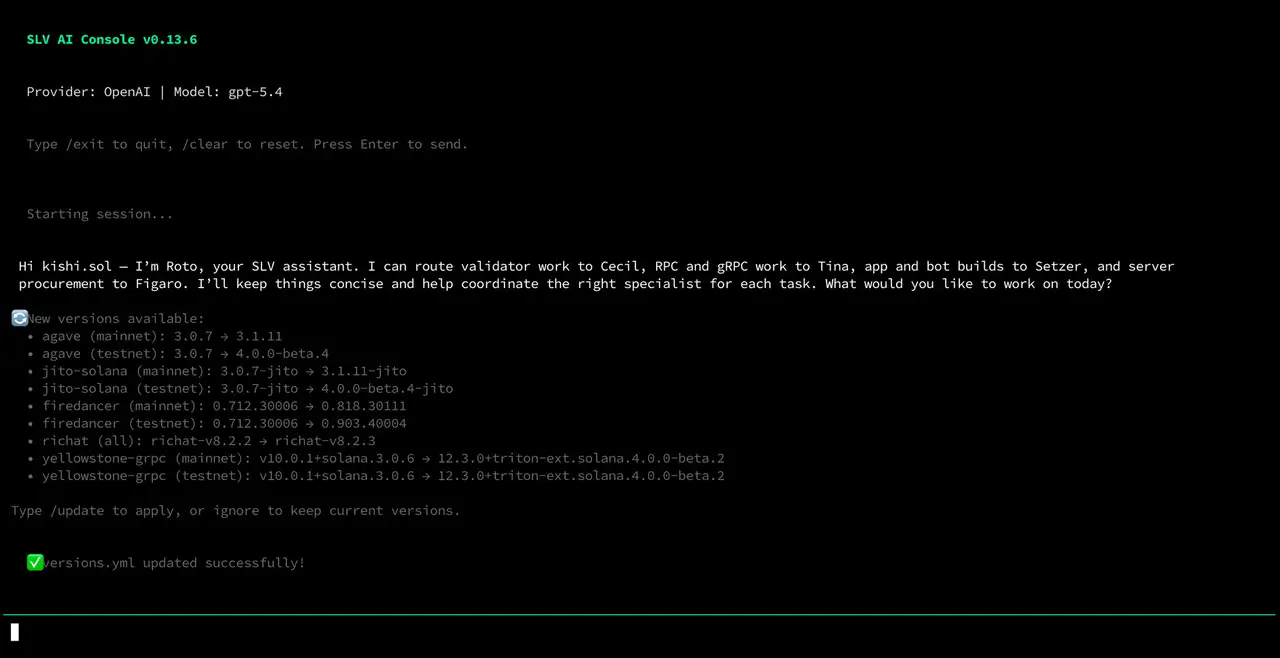
Reconfigure anytime
Run
slv onboard again whenever you want to change providers, models, or skills.🔧 Manual CLI Reference
Prefer to run commands directly? SLV's full CLI is always available.
Key Features
🔑 Keyless Operation — New deployments always start with
unstaked-keypair.json as the identity key. This prevents double-voting accidents. Switch to your production key only after confirming everything works.♻️ Zero-Downtime Migration — Move your validator to a new server without any downtime:
bash
slv v switchslv v switchSpare validator required
Zero-downtime migration requires a spare validator node already deployed and ready. Set up your spare node in advance so you can switch instantly when needed.
🌐 Multi-Node Management — Ansible-powered playbooks let you manage fleets of validators, RPCs, and gRPC nodes from a single machine.
Validator Quick Start
bash
slv v initslv v initThis walks you through server connection (IP, SSH key, user), password setup, and initial configuration.
Vote Account Setup
bash
slv v gen:vote-accountslv v gen:vote-accountRequired fields: Identity pubkey, Vote account, Authority account, and Commission rate (0–100%).